
Build a mob arena
Wave survival: clear a room full of mobs and the next wave spawns, tougher than the last. The trick is tagging the mobs you spawn, then checking each tick whether any are left.
1. Start the game
Add a wave objective on the sidebar, reset it, and kick off the first wave. * targets every player tracked by the scoreboard.
# functions/arena/start.mcfunction
scoreboard objectives add wave dummy "Wave"
scoreboard objectives setdisplay sidebar wave
scoreboard players set * wave 0
function arena/next_wave
2. Spawn a wave
Bump the wave counter, announce it, and summon the mobs. Every mob gets the foe tag — that tag is how we'll tell "our" arena mobs apart from anything else in the world. The last argument on /summon is a spawn event; here it also names them with the tag.
# functions/arena/next_wave.mcfunction
scoreboard players add * wave 1
title @a title New wave!
summon zombie ~ ~ ~5 minecraft:spawn_zombie foe
summon zombie ~5 ~ ~ minecraft:spawn_zombie foe
summon zombie ~-5 ~ ~ minecraft:spawn_zombie foe
Simplest version: give the tag by running tag @e[type=zombie,r=10] add foe right after the summons if your version doesn't tag on spawn.
3. Detect a cleared wave
This is the whole engine: each tick, if there are no entities tagged foe left, run the next wave. Kill them all and the arena reloads automatically.
# functions/tick.mcfunction (via tick.json)
execute unless entity @e[tag=foe] run function arena/next_wave
execute unless entity @e[tag=foe] is the key line — "unless any foe exists."
Make it harder each wave
- · Spawn more mobs on higher waves: execute if score @a wave matches 5.. before extra summons.
- · Mix in skeletons and spiders once players get comfortable.
- · Reward survivors with /give or /effect between waves.
- · End the run at a boss wave — summon a single ravager tagged foe and show a win title when it dies.
See it in Minecraft
Run a wave and the arena fills — a "New wave!" banner drops and the tagged mobs spawn in around the players.
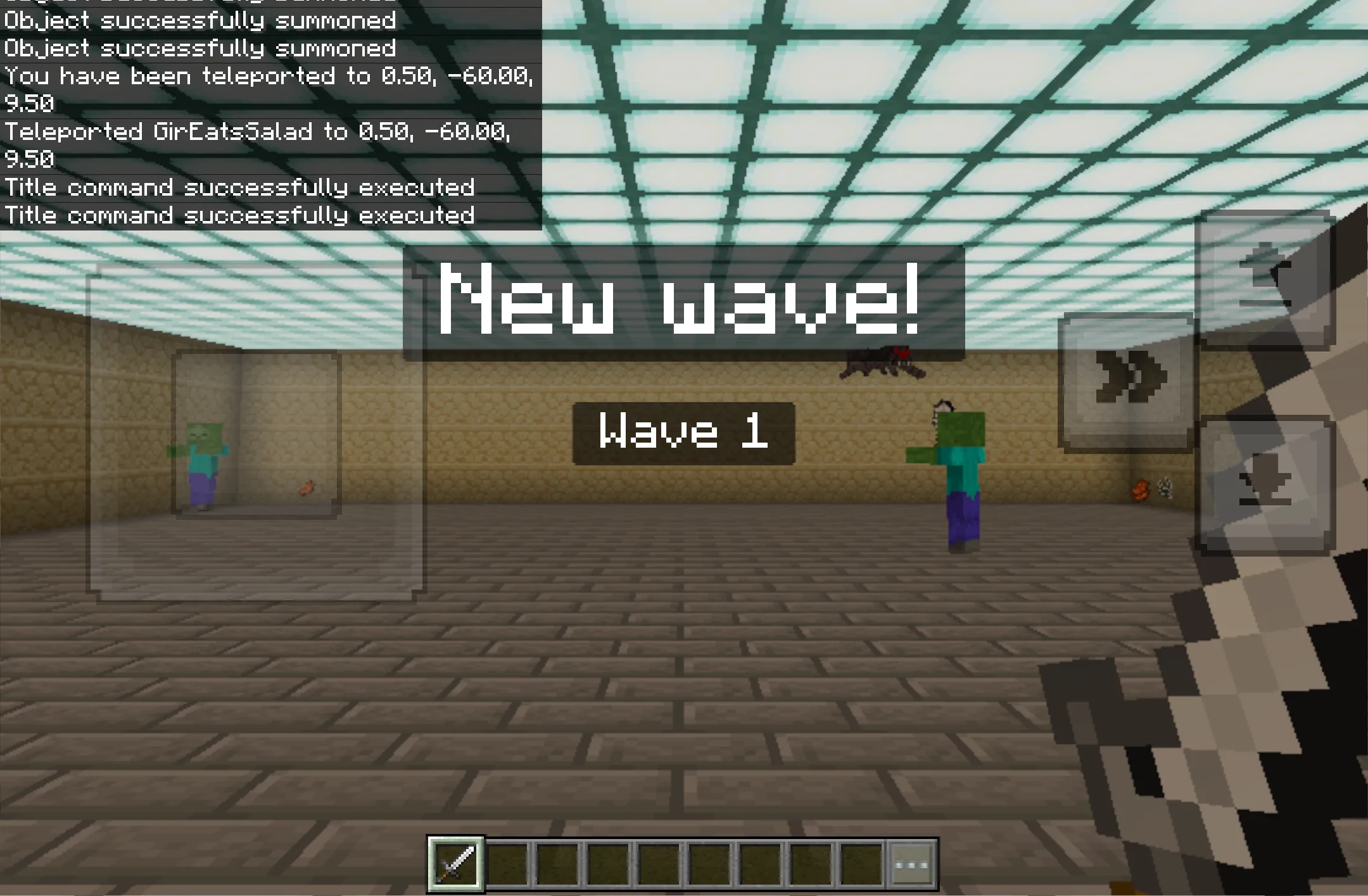
The dungeon arena in the shot is a few fills — run this once, then let the waves spawn:
# functions/arena/build.mcfunction
fill ~-12 ~-1 ~-12 ~12 ~-1 ~12 stone_bricks
fill ~-12 ~ ~-12 ~12 ~5 ~12 stone_bricks hollow
fill ~-11 ~5 ~-11 ~11 ~5 ~11 sea_lantern
Learn the tools behind it.
This project leans on tags and execute. Here's how they work.
The /execute command