
Chain functions together
One giant function is hard to read and impossible to reuse. The fix: split your pack into small, named functions and have them call each other. A function can run another with a single line.
Call a function from a function
Inside a .mcfunction, run another one with function <name> (no slash). Here a start function sets up a round and hands off the kit to a helper:
# functions/start.mcfunction
gamemode adventure @a
clear @a
function give_kit
setworldspawn
title @a title Good luck!
# functions/give_kit.mcfunction
give @a stone_sword
give @a bread 5
effect @a saturation 5 255 trueNow /function start runs everything, and give_kit is reusable on its own — call it again whenever a player needs a fresh kit.

See it in Minecraft
Run /function start and the whole chain fires at once — it hands off to give_kit, sets spawn, and shows the greeting. One command, several small functions doing their jobs.
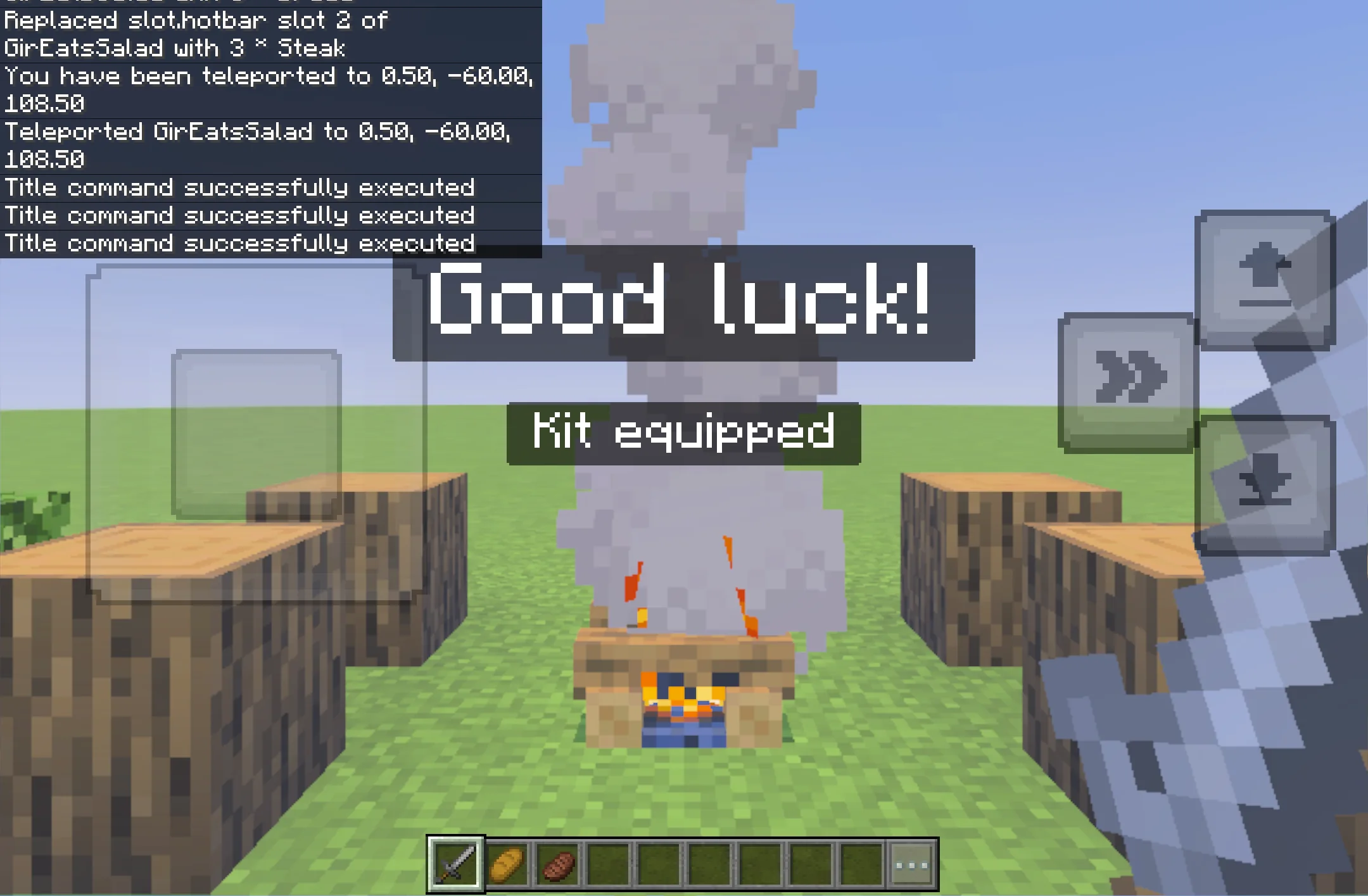
The campfire camp in the shot is just a few blocks — run this once:
# functions/room/build.mcfunction — a cozy camp
setblock ~ ~ ~4 campfire
setblock ~2 ~ ~5 oak_log
setblock ~-2 ~ ~5 oak_log
setblock ~2 ~ ~3 oak_log
setblock ~-2 ~ ~3 oak_log
Why split things up
- · Reuse — write give_kit once, call it from setup, respawn, and a shop.
- · Readability — short files with clear names beat one 200-line wall.
- · Organization — use subfolders: functions/game/start.mcfunction is /function game/start.
The tick.json pattern
A common structure: a light tick function runs every tick and only calls a heavier function when a condition is met — so the expensive work happens rarely.
# functions/tick.mcfunction (runs every tick via tick.json)
execute as @a at @s if block ~ ~-1 ~ gold_block run function reward
Keep tick functions lean; do the real work in the functions they call.
Put it into practice.
Build a small game that chains functions with a scoreboard.
Build a coin minigame