
Feature short Pro ~2 minutes
Fill a chest with the Chest Builder
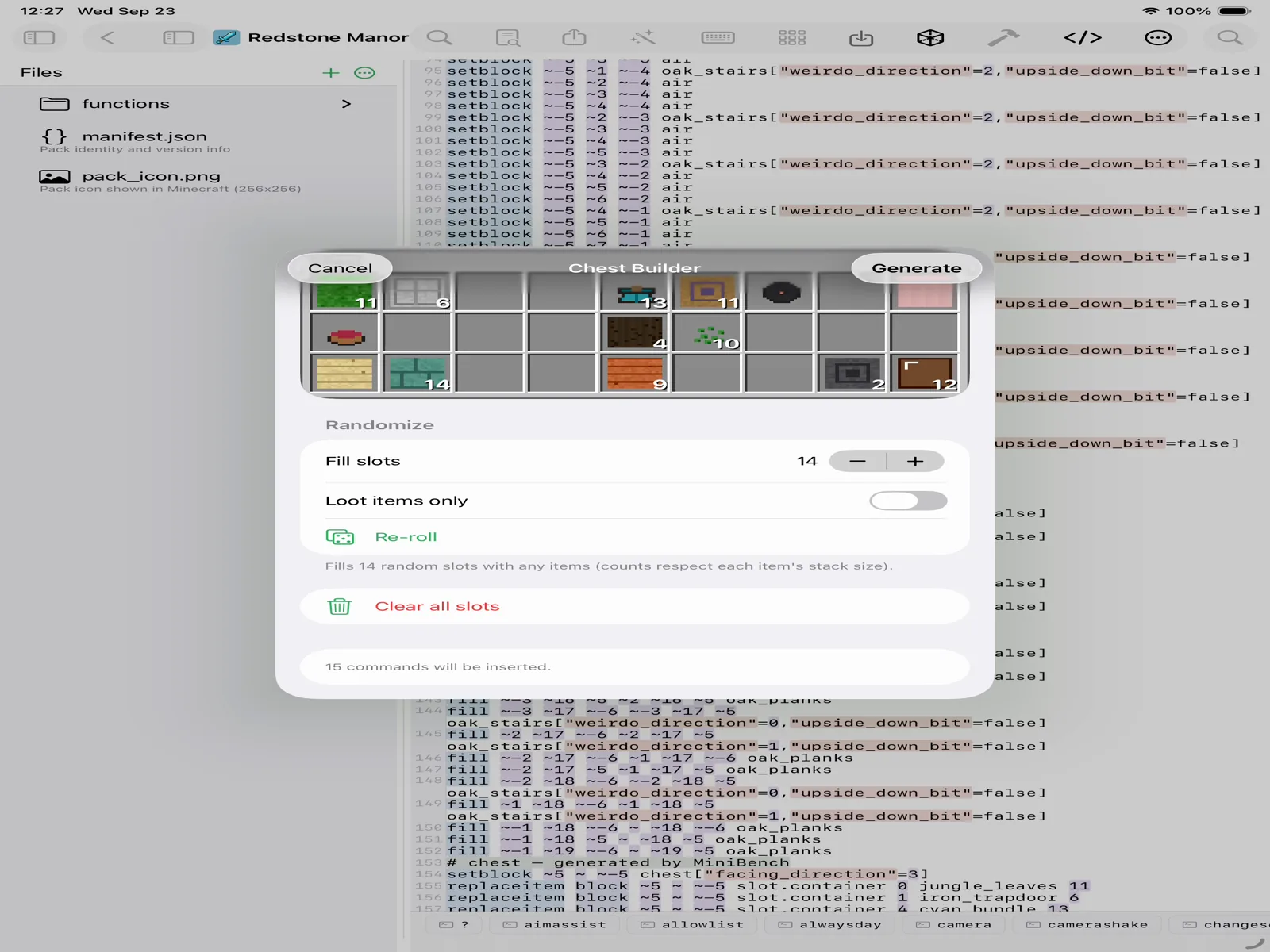
Stock a chest without writing a single loot table. Drop items onto a visual grid — or randomize the whole thing — and the Chest Builder writes the commands for you.
-
Open the Chest Builder
In the editor, open the Build menu and choose Chest Builder. -
Fill the grid
Tap slots on the visual chest grid to place items and set counts — exactly where they'll sit in-game. It's the chest UI you already know, not a wall of JSON. -
Randomize the loot
Want a surprise? Randomize fills the chest with a varied loot spread, and you can re-roll until it feels right — great for treasure and reward chests. -
Generate
Tap Generate and MiniBench writes the commands to place a filled chest into your build — ready to preview, tweak, and export like anything else.
Put it in your build.
Add a stocked chest to a House Builder house, then export the whole thing to Minecraft.
Your first pack, end to end