
Function pack code editor
Build & edit Minecraft Bedrock function packs on iPad and iPhone.
Write commands in a real code editor, or skip the commands entirely with the House Builder,
Image → Build, and a snippet library. Preview in 3D, then export a validated
.mcpack
straight to Minecraft.
See MiniBench in action, from a blank project to a build running in Minecraft.
The desktop function-pack workflow, native on iOS.
No more hand-editing JSON in a plain text app and emailing yourself a .zip. Create a project, build or write your commands, preview the result, and ship it to Minecraft, all on the device in your hands.
Why I built it
Make a pack on iPad, test it in Minecraft, no round trips.
I wanted to build my own Minecraft packs on my iPad and test them in Minecraft right away, without switching devices, saving my code to the cloud, or wiring up some third-party service.
So I built MiniBench: create a pack right there on the iPad, export it straight to Minecraft, and keep building. No desktop, no account, and no internet connection required.
Eric, iColasoft
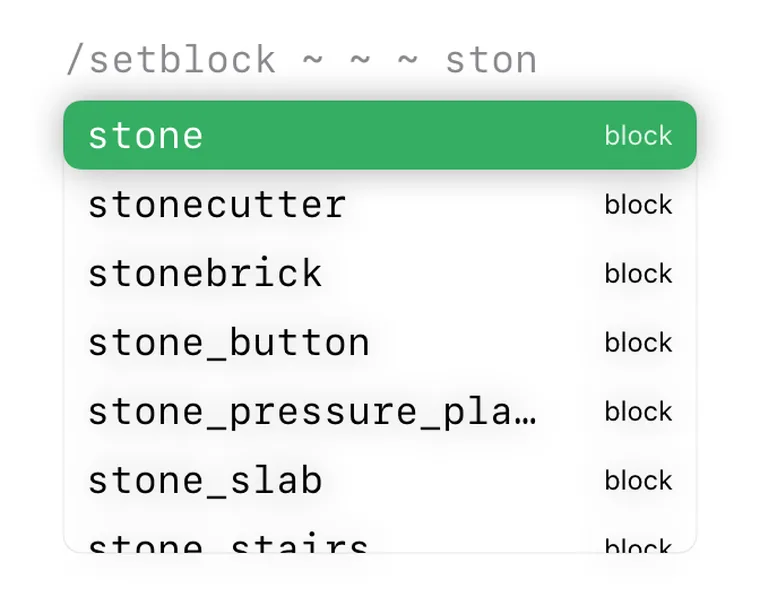
Write
Autocomplete that knows Minecraft
Type a command and MiniBench suggests the rest: commands, selectors, effects, entity types, and the full set of block & item IDs. A signature bar shows every argument inline, and live validation flags unknown commands and malformed selectors before you ever export.
Build fast
Build a house without memorizing a command
The House Builder turns walls, floor, roof style, doors, and windows into a ready-to-run
.mcfunction,
with correct, Bedrock-valid commands written for you.
Build fast
Turn a picture into a build
Image → Build maps a photo to Minecraft blocks and writes the
.mcfunction for you,
or, for large pieces, an any-size build via the Script API.
See it
Preview your build in 3D before export
Render what your commands will place and orbit, pan, and zoom around it right on device, catching mistakes before they ever reach your world.
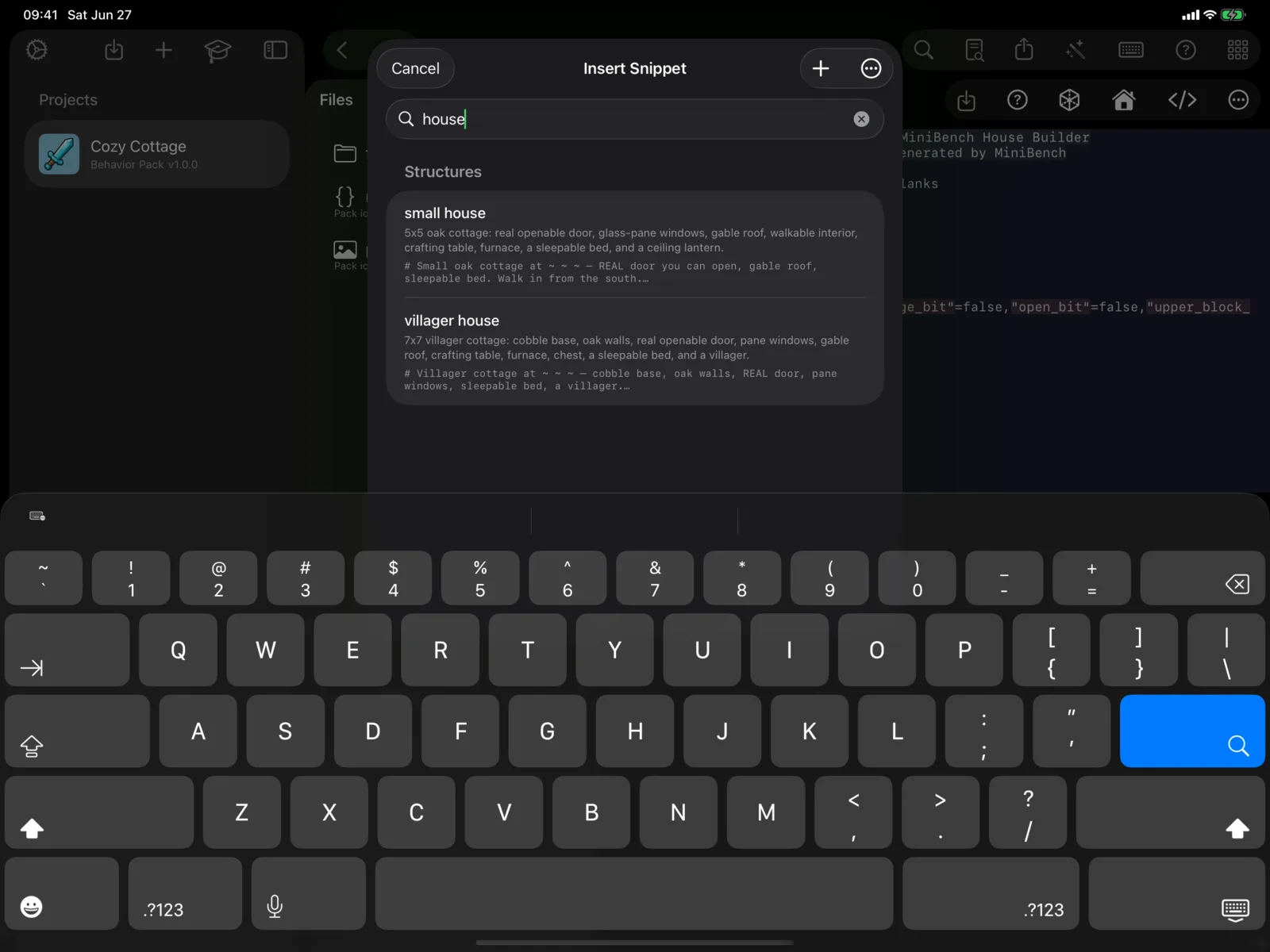
Start from something
Drop in ready-made structures
A searchable library of functional buildings and the command patterns you reach for constantly; insert one, tweak it in the editor, and learn what good commands look like.
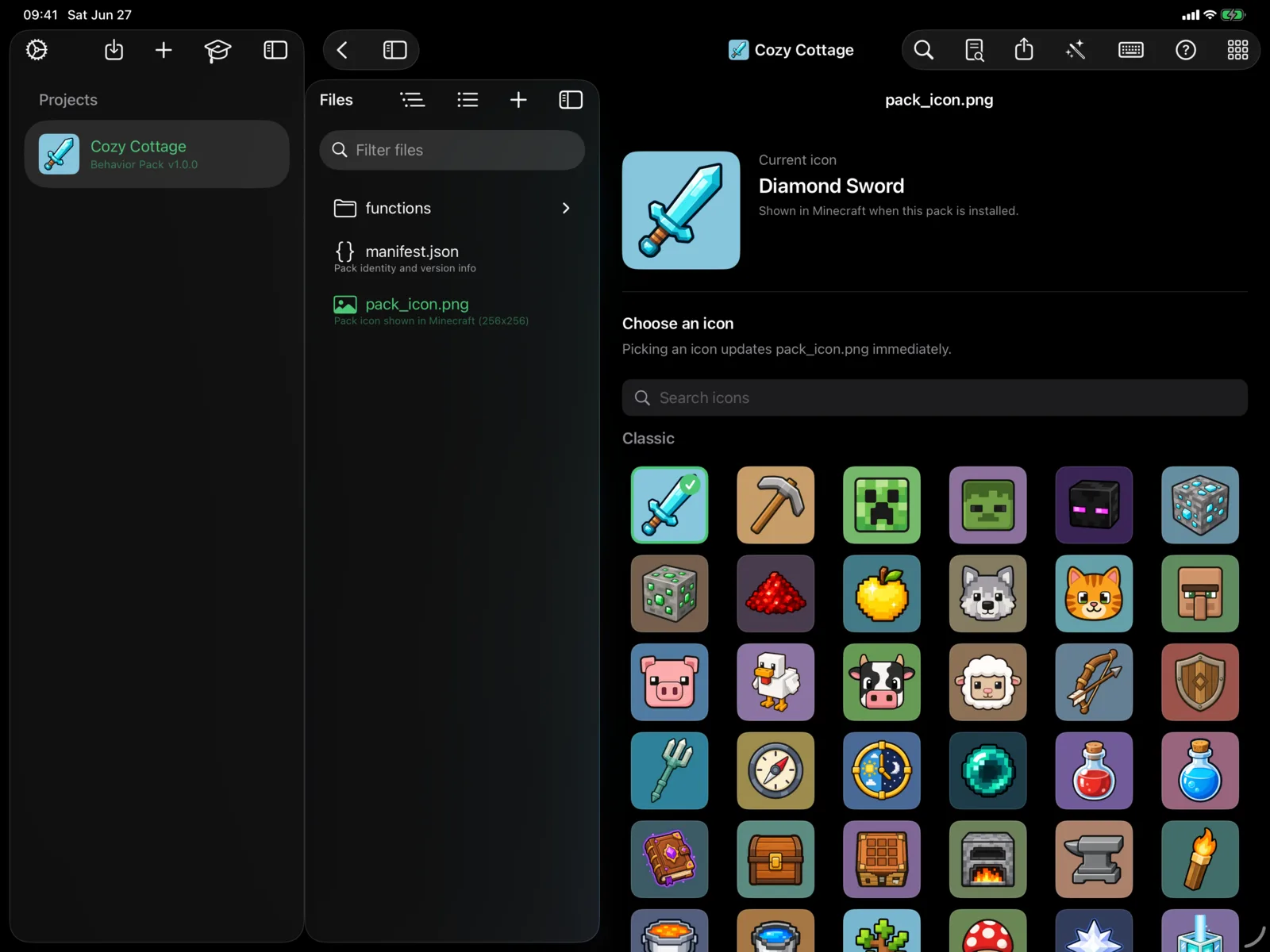
Make it yours
Polished pack icons, built in
Give every pack a crisp, Minecraft-flavored icon from the built-in, searchable library, with optional themed icon packs to make the app your own.
Write
A real code editor for commands
Author .mcfunction files the way you would on desktop: fast, precise, and aware of Minecraft.
Native code editor
Real .mcfunction editing on a Tree-sitter engine (Runestone), with syntax highlighting for commands, selectors (@a, @e, @p, @r, @s, @initiator), coordinates (~, ^), strings, numbers, and NBT-like braces. Smooth on large files, with light and dark themes.
Smart autocomplete
Context-aware completion at the caret: command names at column 0 and after “execute … run”, plus argument suggestions for selectors, effects, entity types, gamemodes, blocks, and items, including selector-argument keys inside @e[...].
Command overloads
A signature bar shows every argument a command accepts, inline, so you never have to leave the editor to remember the syntax.
Inline validation
Unknown commands, malformed selectors, and unbalanced { } [ ] or quotes are flagged live, debounced off the main thread so typing stays smooth.
Snippets palette
One-tap patterns for the things you write constantly: execute-as-all, execute-if-block, give-item, tp-safe, scoreboard-inc, tag-toggle.
Command cheat sheet
A built-in command reference you can pull up while you work, with no tab-switching to a wiki.
Build fast
Create without memorizing a single command
Not sure where to start? MiniBench generates correct commands for you, then hands you the editor.
House Builder wizard
Answer a few questions and MiniBench generates a complete house (walls, floor, roof, a working door) as ready-to-run commands. No syntax to memorize.
Snippet & structure library
Drop in ready-made structures and command patterns, then tweak them in the editor. A fast way to learn what good commands look like.
Image → Build
Turn a picture into in-world block art. MiniBench maps your image to Minecraft blocks and exports it as a .mcfunction, or for large builds an any-size script via the Script API.
See it
Preview your build in 3D before export
Catch mistakes before they reach the game.
3D preview
Render what your function will build and orbit, pan, and zoom around it in 3D, right on device, before you ever export to Minecraft.
Ship it
One tap from your iPad to Minecraft
No desktop, no emailing .zip files to yourself.
Validated export
Export runs the pack through a validator (required manifest fields, UUID v4 format, version-array shape, pack_icon.png, and functions/ contents), strips macOS junk, and hands Minecraft a clean .mcpack via the share sheet. Choose “Open in Minecraft” and it imports directly.
Manifest form editor
Edit manifest.json through a clean form (name, description, version steppers, min_engine_version) with read-only UUIDs, so you can’t accidentally corrupt a required field.
Pack import
Open an existing .mcpack from Files or the share sheet. Function packs are validated, copied into a fresh project (UUIDs regenerated on collision), and opened for editing.
iCloud Drive
Turn on iCloud Drive and your projects follow you to every signed-in device, and stay visible in the Files app for interop.
Everywhere
iPad, iPhone, and 13 languages
The same editor, adapted to wherever you’re working.
iPad + iPhone
Adaptive layouts with a sidebar and editor. On iPad, Split View opens two .mcfunction files side by side with a draggable divider, plus a tab strip with unsaved-change indicators.
13 languages
A fully localized UI in English, German, Spanish, French, Italian, Japanese, Korean, Polish, Portuguese (BR), Russian, Turkish, and Simplified & Traditional Chinese.
Polished pack icons
A built-in library of clean pack icons, with optional themed icon packs to make your projects your own.
Free to start. Pro when you want more.
The full function-pack editor is free: no account, no catch.
Free
The core editor, free to make and ship packs.
- Up to 3 projects, code editor & autocomplete
- Snippet library & 3D build preview
- Validated export, import & iCloud Drive
MiniBench Pro
$0.99/mo · $9.99/yr
- House Builder & Image→Build
- Unlimited projects
- Every new creator tool as we ship it
- 7-day free trial on the annual plan
Icon packs
$0.99 each · one-time
Optional themed app-icon sets:
Mob Squad · Fantasy & Magic · Spooky Hollow · Galactic Explorer · Winter Wonderland · Cute Critters
All purchases are handled by Apple. The core editor is fully usable with no purchase.
Frequently asked questions
Does it work with Java Edition?
No. MiniBench targets Minecraft Bedrock Edition. It authors .mcfunction command files and packages them as .mcpack, the Bedrock content-pack format.
Do I need a Minecraft account or installation to use it?
No. MiniBench works entirely offline and has no login. It produces files you open in Minecraft via the iOS share sheet whenever you’re ready.
How does export work?
Tap Export. MiniBench validates your pack and hands Minecraft a .mcpack through the share sheet, then choose “Open in Minecraft” and it imports directly. No desktop, no transfer step.
Does it run on iPhone, or just iPad?
Both. MiniBench runs on iPad and iPhone (iOS / iPadOS 17 and later). iPad additionally supports Split View for editing two files at once.
Can it make resource packs, skin packs, or addons?
Version 1 focuses on function packs. Other pack types and visual editors are planned for future updates.
Where does my data go?
Your projects stay on your device, or in your own iCloud Drive; the app never uploads your content. It collects only anonymous usage analytics. See the Privacy Policy for details.
Make your first pack this afternoon.
Build with no commands or write them yourself, preview in 3D, and export straight to Minecraft, free to start, on iPad and iPhone.