
Command Bedrock Edition ~2 min read
The /clear command
Empty a player's inventory, or strip out just one kind of item.
What it does
/clear removes items from a player’s inventory. Reset a player before handing them a kit, take back a quest item, or wipe everything at the start of a round.
Syntax
clear [player] [item] [data] [maxCount]- player
- Whose inventory — @s, @a, @p. Defaults to the runner.
- item
- Optional — clear only this item. Omit to clear everything.
- maxCount
- Optional — remove at most this many.
Examples
clear @sEmpty your whole inventory.
clear @aClear everyone — a clean slate to start a round.
clear @s dirtRemove just the dirt.
See it in action
Before and after running /clear — in MiniBench's 3D preview and in Minecraft.
Command run
clear @s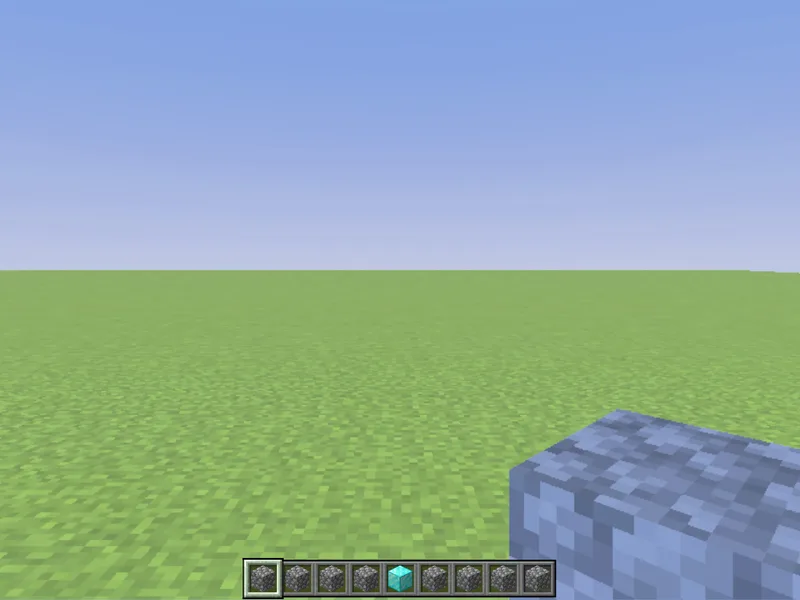
Before
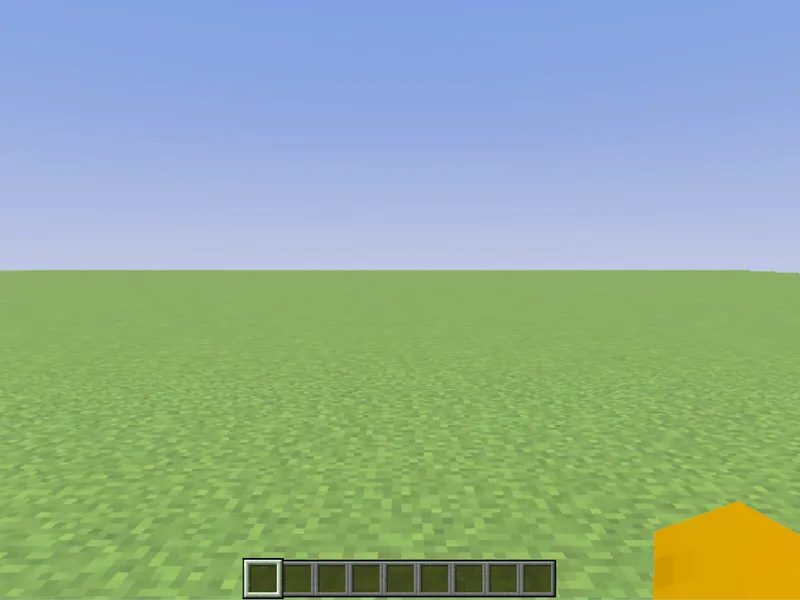
After
Not affiliated with Mojang or Microsoft. Minecraft is a trademark of Mojang Synergies AB.
Watch out for
- · With no item, clear wipes the entire inventory — use carefully.
- · Pair with /give to hand out a fresh starter kit.
- · Needs cheats enabled.
Write it in MiniBench with autocomplete and live validation, then run it in Minecraft.