
Command Bedrock Edition ~2 min read
The /clone command
Copy a region of blocks from one place to another — duplicate rooms, tile a pattern, or move a build.
What it does
/clone copies every block in a source box to a new location. It's how you duplicate a room, repeat a decorative pattern, or lift a structure to a different spot without rebuilding it.
Syntax
clone <begin: x y z> <end: x y z> <destination: x y z> [maskMode] [cloneMode]- begin / end
- The two opposite corners of the region to copy.
- destination
- The lowest-x, lowest-y, lowest-z corner where the copy is placed.
- maskMode
- replace (all blocks) · masked (skip air) · filtered (only a specific block).
- cloneMode
- normal · force (allow overlap) · move (clear the source after copying).
Examples
clone 0 64 0 10 70 10 20 64 20Copy an 11×7×11 region to a new spot.
clone ~-5 ~ ~-5 ~5 ~5 ~5 ~10 ~ ~-5 maskedCopy only the non-air blocks, keeping whatever’s already at the destination.
See it in action
Before and after running /clone — in MiniBench's 3D preview and in Minecraft.
Command run
clone ~-3 ~ ~9 ~-1 ~2 ~11 ~1 ~ ~9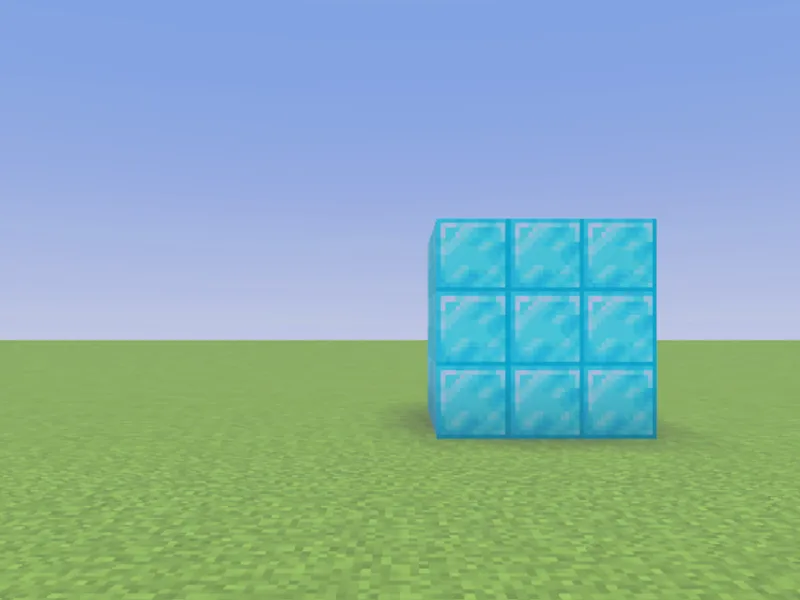
Before
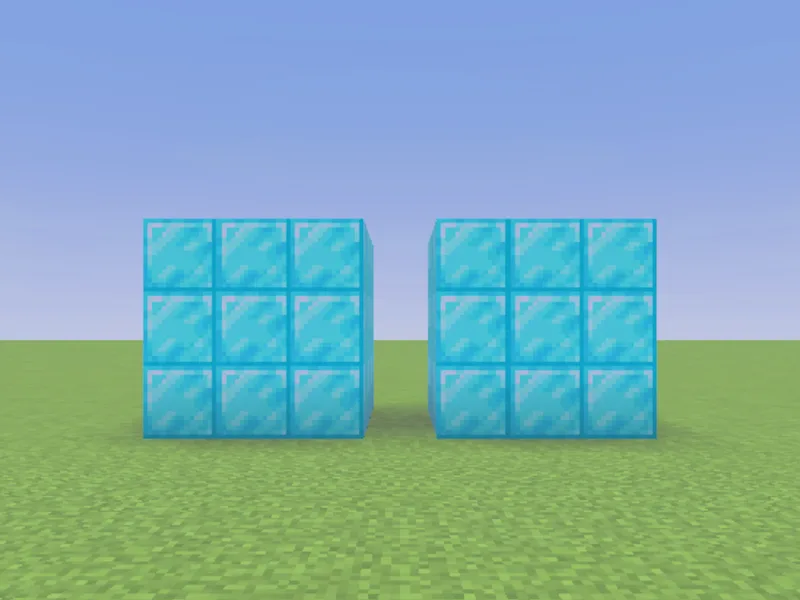
After
Not affiliated with Mojang or Microsoft. Minecraft is a trademark of Mojang Synergies AB.
Tips & techniques
- · Make a hallway of identical rooms: build one room, then clone it repeatedly along an axis, each destination offset by the room’s length.
- · Use masked to stamp a build onto existing terrain without erasing what’s already there (air blocks in the source are skipped).
- · move mode is cut-and-paste: it copies the region and clears the original — handy for relocating a build a few blocks over.
- · filtered oak_planks copies only that one block type, leaving everything else at the destination untouched.
- · Since /clone works on blocks already in the world, it pairs naturally with a /fill build: fill the template once, then clone it as many times as you need.
Watch out for
- · The source and destination regions can’t overlap unless you use force.
- · destination is the region’s lowest corner, not its center — offset it by the region’s width to line copies up edge-to-edge.
- · Very large clones can hit the block limit — split them up if needed.
- · Cloning reads whatever is currently in the source box, so run it after the source is fully built.
Write it in MiniBench with autocomplete and live validation, then run it in Minecraft.