
The /fill command
Fill a whole region with one block — the fastest way to lay floors, walls, and boxes.
What it does
/fill sets every block in the box between two opposite corners to the block you choose. It's the workhorse behind most builds: one line can place thousands of blocks, so floors, walls, platforms, and clearing out space all become a single command.
Syntax
fill <from: x y z> <to: x y z> <block> [replaceMode]fill <from: x y z> <to: x y z> <block> replace [oldBlock]- from / to
- Any two opposite corners of the box. Order does not matter.
- block
- The block to place, e.g. stone, oak_planks, glass, air.
- replaceMode
- replace (default) · hollow (shell + air inside) · outline (edges only) · keep (only fill air) · destroy (break old blocks, drop items).
- oldBlock
- With replace, only swap blocks that match this one.
Examples
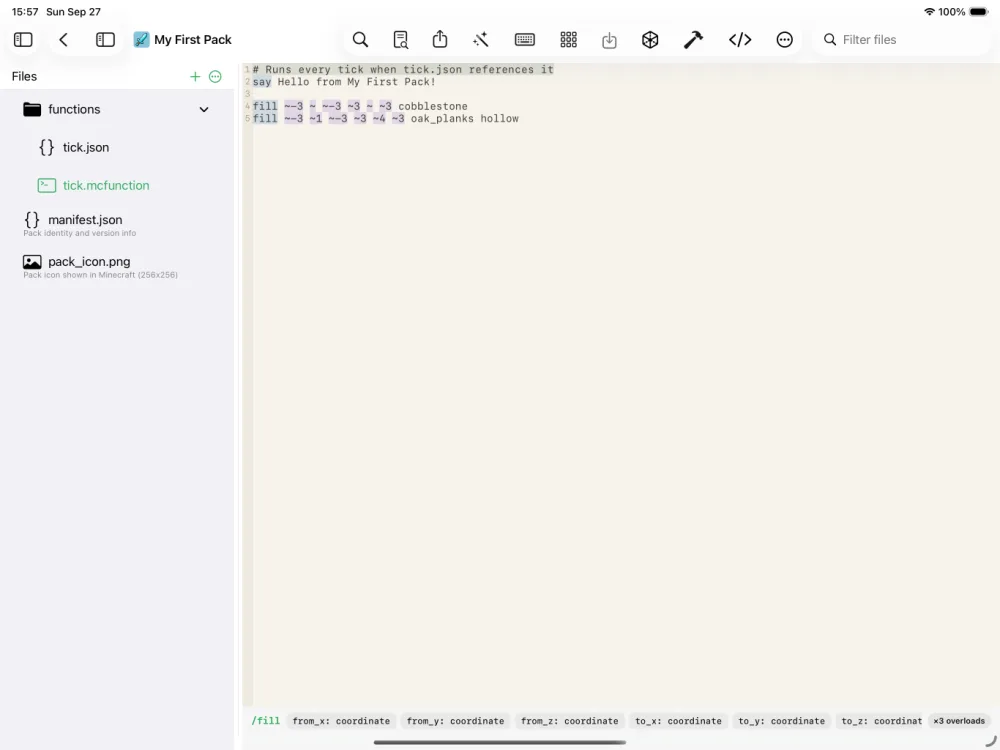
fill ~-3 ~ ~-3 ~3 ~ ~3 cobblestoneA 7×7 cobblestone floor centered on your feet.
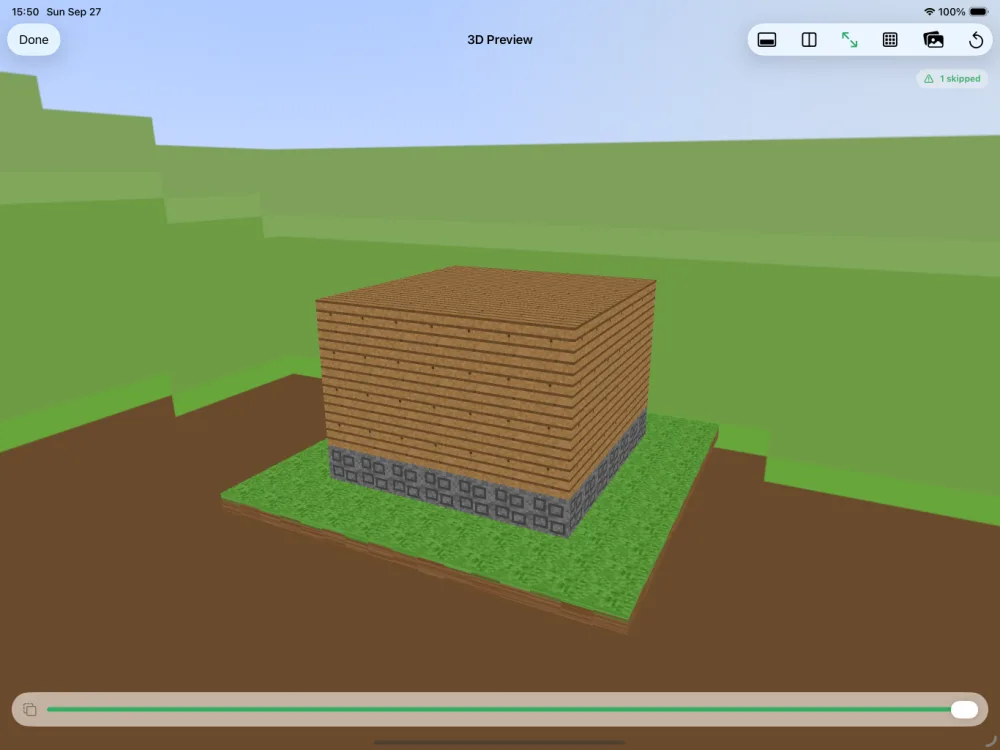
fill ~-3 ~ ~-3 ~3 ~4 ~3 oak_planks hollowA hollow oak box — walls, floor, and ceiling, empty inside. Perfect for a quick house shell.
fill 0 64 0 15 64 15 airClear a flat 16×16 area at exact coordinates.
fill ~-5 ~ ~-5 ~5 ~ ~5 stone replace grass_blockTurn only the grass in the area into stone, leaving everything else.
See it in action
Before and after running /fill — in MiniBench's 3D preview and in Minecraft.
Command run
fill ~-1 ~ ~8 ~1 ~2 ~10 gold_block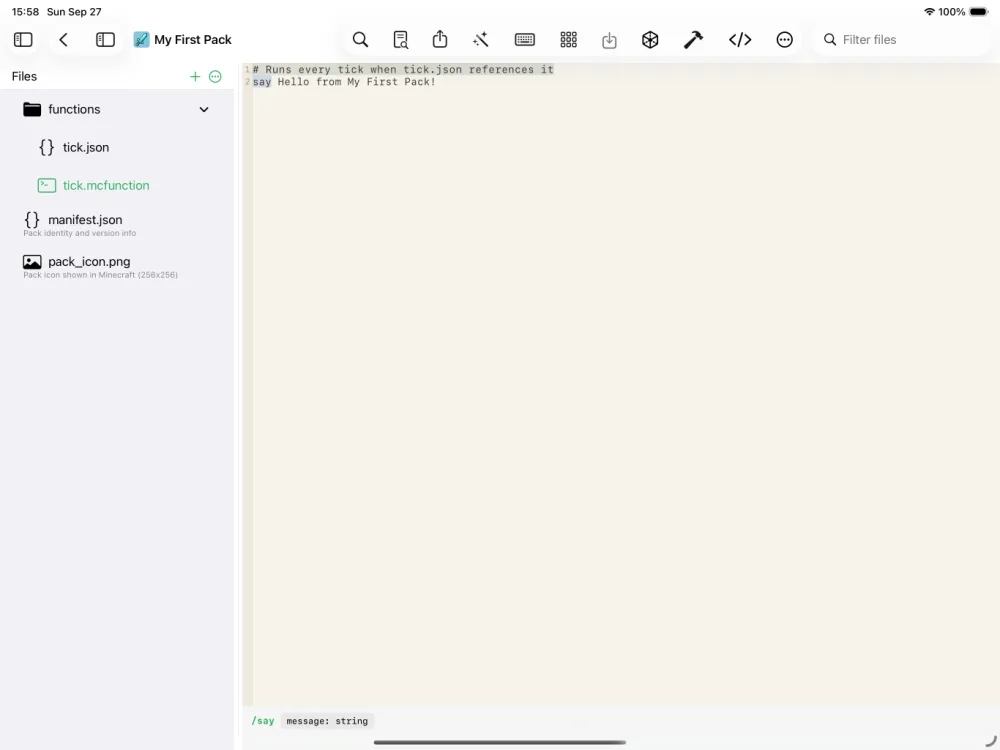
Before
After
Before
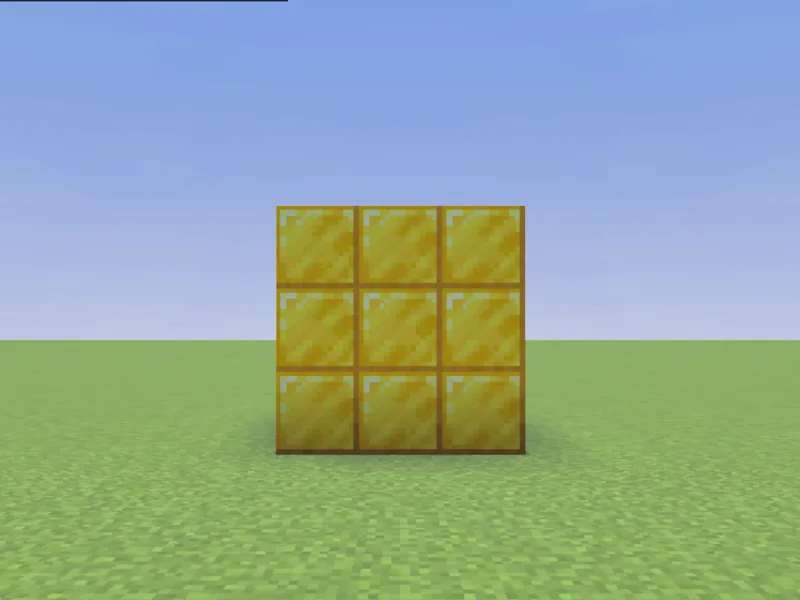
After
Not affiliated with Mojang or Microsoft. Minecraft is a trademark of Mojang Synergies AB.
Tips & techniques
- · Build a hollow room in one line, then carve a doorway with a second fill: fill ~-3 ~ ~-3 ~3 ~4 ~3 oak_planks hollow then fill ~ ~ ~-3 ~ ~1 ~-3 air.
- · Clear a work area fast with fill … air — it’s the quickest way to demolish or flatten before a new build.
- · Recolor selectively without touching anything else: fill ~-5 ~ ~-5 ~5 ~ ~5 stone replace grass_block only swaps the grass.
- · Keep everything on ~ relative coordinates and your function becomes portable — run it anywhere and the build appears at the player’s feet.
- · Preview before you export: MiniBench renders the fill result in 3D instantly, so you can catch an inverted corner or a too-big region before it ever reaches Minecraft.
- · For a floor + walls + roof, three fills read more clearly than one clever hollow — and they’re easier to tweak later.
Watch out for
- · Bedrock caps a single fill at 32,768 blocks (a 32×32×32 cube). For bigger jobs, split it into several fills — MiniBench’s 3D preview shows exactly what got placed so you can spot a cut-off.
- · hollow puts air inside the shell; keep only fills spots that are already air; outline fills just the edges. Picking the wrong mode silently overwrites (or skips) blocks you meant to keep.
- · Use relative ~ coordinates to build around wherever the command runs, or exact numbers for a fixed spot — mixing them up is the #1 reason a build lands in the wrong place.
- · Order matters: a later fill overwrites an earlier one in the same spot. Lay the solid shape first, then carve with air fills.
- · destroy drops the broken blocks as items (and makes noise); replace just swaps them. Use replace when you don’t want a pile of drops.
Used in these tutorials
See /fill in action inside a full project walkthrough:
Write it in MiniBench with autocomplete and live validation, then run it in Minecraft.