
Command Bedrock Edition ~2 min read
The /gamerule command
Change the rules of your world — keep items on death, freeze time, hide command spam.
What it does
/gamerule flips the switches that govern a whole world. Keep your inventory when you die, stop the sun moving, turn off mob griefing, or show coordinates — essential setup for a map or a test world.
Syntax
gamerule <rule> [value]- rule
- The rule name, e.g. keepInventory, doDaylightCycle, mobGriefing, showCoordinates.
- value
- true / false for most rules; a number for a few. Omit to read the current value.
Examples
gamerule keepInventory trueKeep your items when you die.
gamerule doDaylightCycle falseFreeze the time of day (set it with /time first).
gamerule showCoordinates trueShow your X Y Z on screen — handy while building.
See it in action
Before and after running /gamerule — in MiniBench's 3D preview and in Minecraft.
Command run
gamerule showcoordinates true
Before
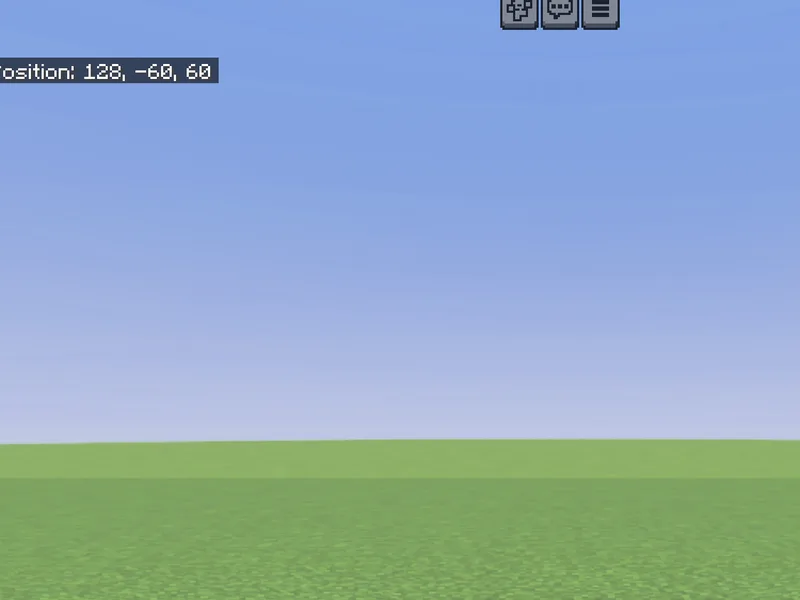
After
Not affiliated with Mojang or Microsoft. Minecraft is a trademark of Mojang Synergies AB.
Watch out for
- · Rule names are case-insensitive but usually written in camelCase.
- · Turn off commandBlockOutput to stop chat spam from your functions.
- · Needs cheats enabled.
Write it in MiniBench with autocomplete and live validation, then run it in Minecraft.