
The /summon command
Spawn an entity — mobs, armor stands, item frames, and more — wherever you want.
What it does
/summon creates an entity at a position. Use it to populate a build with animals, drop in an armor stand, place a boss for an arena, or trigger effects like lightning.
Syntax
summon <entityType> [x y z]summon <entityType> <x y z> [yRot xRot] [spawnEvent] [nameTag]summon <entityType> [nameTag] [x y z]- entityType
- The entity id, e.g. cow, zombie, armor_stand, lightning_bolt (the minecraft: prefix is optional for vanilla).
- x y z
- Where to spawn it. Defaults to the command’s position.
- spawnEvent
- An optional event to apply on spawn, e.g. minecraft:as_baby.
- nameTag
- An optional name shown above the entity.
Examples
summon cow ~ ~ ~2Spawn a cow two blocks ahead of you.
summon armor_stand ~ ~ ~Drop an armor stand right where you stand.
summon zombie ~ ~ ~ 0 0 minecraft:as_babySpawn a baby zombie using a spawn event.
summon lightning_bolt ~ ~ ~Strike lightning at the current position — great for dramatic effects.
See it in action
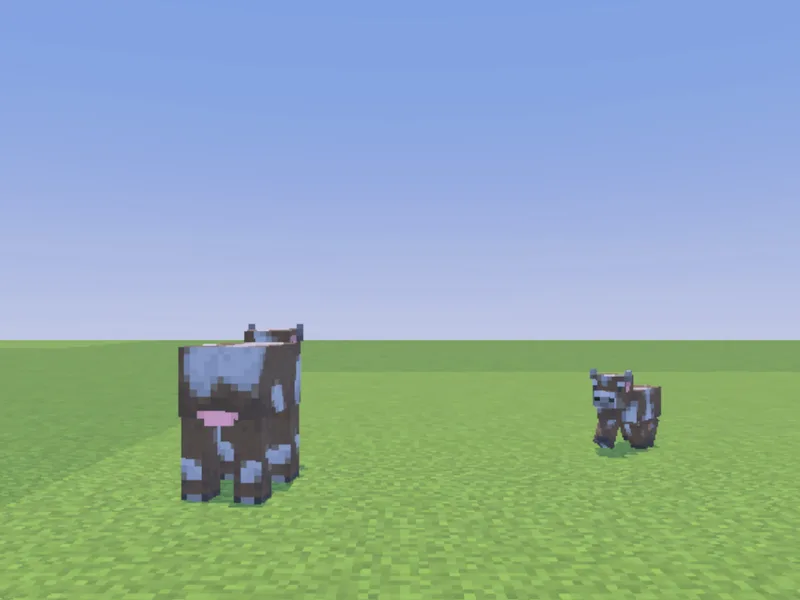
Before and after running /summon — in MiniBench's 3D preview and in Minecraft.
Command run
summon cow ~ ~ ~5
Before
After
Not affiliated with Mojang or Microsoft. Minecraft is a trademark of Mojang Synergies AB.
Tips & techniques
- · Give a summoned mob a name and target it later: summon zombie ~ ~ ~ minecraft:spawn_default "Boss", then /effect @e[name="Boss"] ….
- · Set facing with the rotation args (yRot xRot) so armor stands and mobs point the right way for a display.
- · Spawn events customize a mob on the spot — minecraft:as_baby, variants, or equipment — without a follow-up command.
- · summon lightning_bolt and particle/effect combos make cheap, dramatic feedback for a minigame event.
- · Summoning from a tick function? Guard it with /execute … unless entity @e[...] so you don’t spawn a new mob every tick.
Watch out for
- · Entity ids are lowercase with underscores (armor_stand, iron_golem). Autocomplete in MiniBench lists them.
- · Spawn events differ per mob — not every entity supports every event.
- · Mobs need room to spawn; summoning inside solid blocks can suffocate or fail.
- · A name tag alone doesn’t make a mob persistent — combine with the mob’s own persistence rules if you need it to stick around.
Used in these tutorials
See /summon in action inside a full project walkthrough:
Write it in MiniBench with autocomplete and live validation, then run it in Minecraft.