
Command Bedrock Edition ~3 min read
The /structure command
Save a build to memory and stamp copies of it anywhere — reusable structures.
What it does
/structure captures a region as a named structure you can load again later. Build once, then place perfect copies across your world — great for repeating rooms, props, or a prefab you drop from a function.
Syntax
structure save <name> <from: x y z> <to: x y z> [includeEntities] [saveMode] [includeBlocks]structure load <name> <to: x y z> [rotation] [mirror]- save
- Store the region between two corners under a name.
- load
- Stamp a saved structure at a position.
- rotation / mirror
- Optionally rotate (0/90/180/270) or mirror on load.
Examples
structure save myhouse ~-5 ~ ~-5 ~5 ~8 ~5Save an 11-wide region around you as "myhouse".
structure load myhouse ~ ~ ~Stamp it back down where you stand.
structure load myhouse ~ ~ ~ 90_degreesPlace it rotated 90°.
See it in action
Before and after running /structure — in MiniBench's 3D preview and in Minecraft.
Command run
structure load demotower ~2 ~ ~10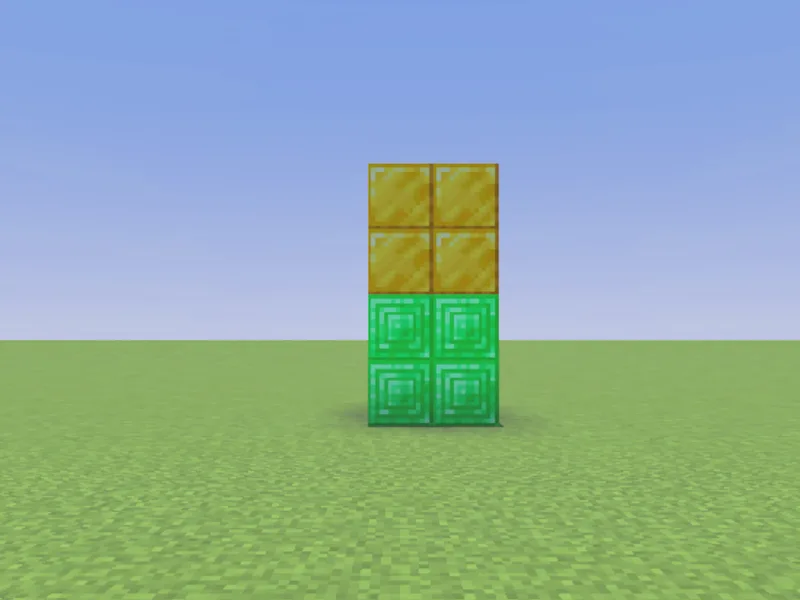
Before
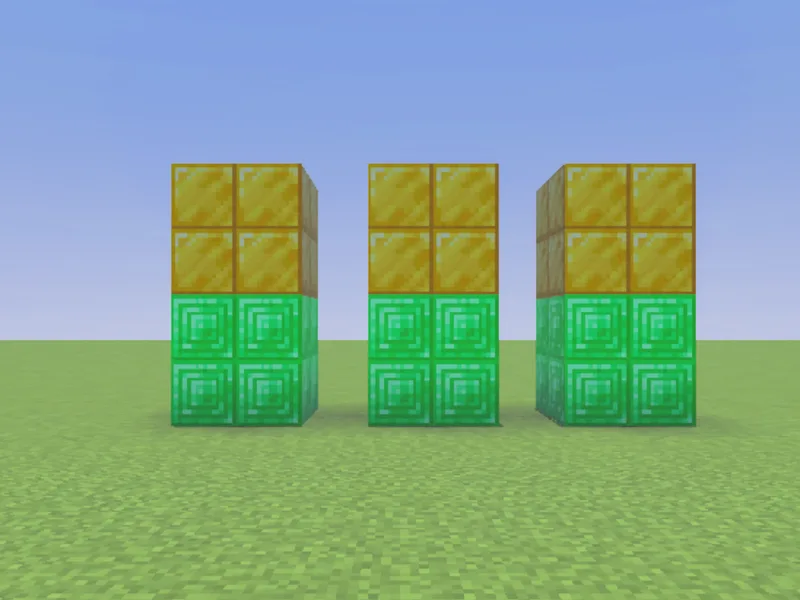
After
Not affiliated with Mojang or Microsoft. Minecraft is a trademark of Mojang Synergies AB.
Tips & techniques
- · Save once, stamp everywhere: a tick or triggered function can structure load a prefab instantly, far cheaper than replaying hundreds of setblocks.
- · Rotate and mirror on load to get variety from one saved build: structure load myhouse ~ ~ ~ 90_degrees.
- · Turn off includeEntities when you only want the blocks (so you don’t duplicate mobs or item frames).
- · Pair with /fill … air to clear the spot first, so a reloaded structure never overlaps leftover blocks.
- · Great for repeatable game pieces — arena walls, a lobby, a checkpoint — that you place from a function at world start.
Watch out for
- · Saved structures live in the world; a function can structure load a prefab instead of hundreds of setblocks.
- · The from/to are opposite corners, like /fill.
- · Structure names are case-sensitive and shared per world — load fails silently if the name doesn’t match what you saved.
- · For a build you author in MiniBench, plain fill/setblock is simpler; structures shine for capturing existing in-world builds.
Used in these tutorials
See /structure in action inside a full project walkthrough:
Write it in MiniBench with autocomplete and live validation, then run it in Minecraft.